
All Codoplex Weebly Apps Subscription — Every App, Every Website on Your Account
One annual subscription whitelists your Weebly User ID and unlocks all 17 Codoplex apps — Mega Menu, SEO Headlines, Video Lightbox, Masonry Layout, Codo Tabs, Progress Bar, Auto Popup, and more — across every Weebly website on your account. No per-site fees. No separate installs. Every future Codoplex app included automatically.
⭐⭐⭐⭐⭐ 5-star rated | 17 Apps + Future Apps | Account-Wide Access | From codoplex.com
✅ 17 Codoplex Apps Included
✅ All Websites on Your Account
✅ Future Apps Included Free
✅ Extended Priority Support
What Is the Codoplex All-Access Weebly Apps Subscription?
The Codoplex all-access subscription is a smarter way to use every Weebly app Codoplex offers. Instead of subscribing to each app separately — or paying per website — one annual subscription whitelists your Weebly User ID. Every Weebly website tied to your account instantly gains access to all 17 included apps through a single install on each site.
This is a fundamentally different model from a per-site license. You pay once per year for your account, not once per website. Whether you manage one Weebly site or many, your whitelisted User ID unlocks Mega Menu, Video Lightbox, SEO Headlines, Progress Bar, Auto Popup, Masonry Layout, and all other current Codoplex apps on every site you own.
Every new Codoplex app released in the future is automatically added to your subscription at no extra cost. Bundle subscribers also receive extended priority support from the Codoplex developer team.
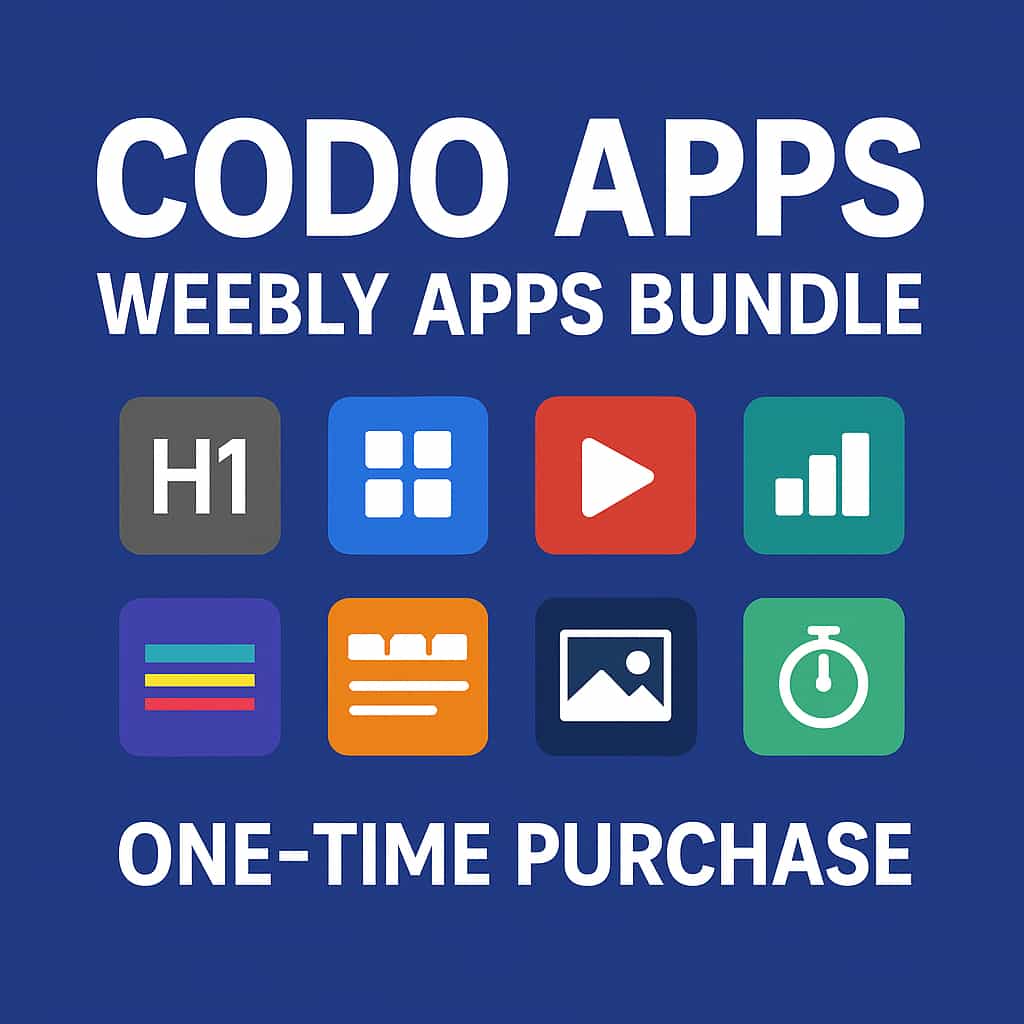
All 17 Codoplex Weebly Apps — Unlocked in One Subscription
Every app below becomes available the moment your Weebly User ID is whitelisted and you install Codo Apps on a site.
🍔
Mega Menu
Add a fully drag-and-drop enabled Mega Menu to your Weebly site. Create rich, multi-column navigation with images, links, and grouped content for a professional top-level menu experience.
🔍
SEO Headlines
Add proper HTML heading tags (H1–H6) anywhere on your Weebly pages to improve on-page SEO and help search engines correctly understand your content structure.
🎬
Video Lightbox
Display YouTube or Vimeo videos in a fully responsive lightbox overlay. Auto-generate thumbnails from YouTube URLs or supply your own custom thumbnail image — no coding required.
🖼️
Masonry Layout
Create Pinterest-style 1, 2, or 3-column card layouts with images, descriptions, and buttons. Cards of varying heights auto-adjust for a seamless masonry flow — perfect for portfolios and galleries.
📑
Post Columns
Transform individual Weebly blog post pages into a modern two- or three-column content layout. Ideal for long-form posts, comparison articles, and editorial content that benefits from structured columns.
🗂️
Codo Tabs
Build beautiful, fully responsive horizontal tab widgets to organize page content into compact, easy-to-navigate sections — without overwhelming visitors with long scrolling pages.
✨
Image Overlay
Add stunning hover effects to images on your Weebly site. Choose from five distinct hover effect styles to make portfolio images, product shots, and team photos far more interactive and engaging.
➖
Vertical Lines
Add colorful vertical line accents to your Weebly pages. Place them alongside headings, sidebar content, or feature callouts to create visual depth and a more polished page design.
📊
Progress Bar
Add animated, fully customizable progress bars to any Weebly page. Showcase skill levels, project completion percentages, funding goals, or any data that benefits from a visual bar indicator.
💬
Auto Popup
Automatically display a popup to visitors on page load. Perfect for announcements, lead capture, promotional offers, or newsletter signups — with no custom code needed in your Weebly editor.
📌
Tab Headers
Add beautiful, styled tab header elements to your pages independently of content tabs. Great for visually separating content groups, creating section labels, or enhancing page hierarchy with a styled tabbed header.
🍞
Breadcrumb
Add structured breadcrumb navigation to Weebly blog posts to improve both user experience and blog SEO. Helps search engines understand your site structure and improves crawlability of published posts.
🖼
Image Text
Place images with transparent, colorful overlay areas for text descriptions — defining a branded color overlay region directly on top of any image. Great for hero banners, feature callouts, and visual storytelling.
📅
Timeline
Add beautiful, responsive, drag-and-drop timelines to any Weebly page. Supports multiple color options — perfect for company history, project milestones, team journey, or event sequences.
📰
Multi Column Blog
Supercharge your Weebly blog by converting the default single-column post listing into a modern two- or three-column magazine grid — no code required, instant visual upgrade.
↕️
Vertical Tabs
Like Codo Tabs but stacked vertically — ideal for sidebar-style navigation, FAQs, product feature comparisons, and any content that benefits from a vertical accordion-style tabbed layout.
🌈
Colored Lines
Add vibrant gradient line dividers to your Weebly pages. Place them beneath headings or between sections to improve visual hierarchy and make your page layouts more dynamic and professional.
➕
Future Apps — Yours Automatically
Every new Codoplex app released in future updates is automatically added to your all-access subscription — no extra cost, no new install required. Your account whitelist grows with Codoplex.
Account-Wide Access — Not a Per-Site License
This is the key difference that makes the all-access subscription the most cost-effective choice for any Weebly user — especially those managing more than one site.
❌ Buying Apps Individually
- Pay separately for each app — costs add up fast
- Each app subscription is per-website
- Manage and renew multiple subscriptions
- New apps require new purchases
- Standard support response times
- Must repeat setup across each Weebly site
✅ Codoplex All-Access Subscription
- One annual fee covers all 17 apps
- Account-wide — every Weebly site you own
- One subscription to track and renew
- All future apps added automatically, free
- Extended priority support from Codoplex
- Your Weebly User ID is whitelisted instantly
Who Gets the Most from the Codoplex All-Access Subscription?
Anyone building professional Weebly websites — especially those who manage multiple sites or want access to the complete Codoplex toolkit without juggling separate subscriptions.
🏢
Multi-Site Owners
If you manage two or more Weebly websites under the same account, the all-access subscription pays for itself immediately. One annual fee whitelists your User ID — every site you own can install any Codoplex app without additional charges.
🎨
Designers & Freelancers
Designers and freelancers building Weebly sites for clients under a single account gain full access to Mega Menu, Image Overlay, Masonry Layout, and all other Codoplex tools across every project — making the all-access plan an essential part of any professional Weebly workflow.
🚀
Power Users & Builders
If you’re serious about building feature-rich Weebly sites, the all-access subscription unlocks the complete Codoplex toolkit — SEO Headlines for rankings, Auto Popup for conversions, Progress Bar for engagement, Breadcrumb for blog SEO, and 13 more — all at once, on every site you build.
Everything Your Subscription Includes
Subscribe once and your Weebly User ID is whitelisted immediately. On any Weebly website associated with your account, simply install the Codo Apps app from the Weebly App Center — all 17 included widgets appear in your drag-and-drop editor automatically. Here is a full summary of everything included:
- 17 Codoplex Apps — all currently available Codoplex Weebly apps, activated on install
- Account-Wide Whitelist — your Weebly User ID is whitelisted, covering every site on your account
- Future Apps Included — new Codoplex apps automatically added to your subscription at no extra cost
- Unlimited Page Use — use all apps freely across every page on every site in your account
- One Annual Subscription — no monthly fees, no per-app costs, no per-site charges
- Extended Priority Support — dedicated support from the Codoplex developer, prioritized over individual subscribers
- Compatible with All Weebly Themes — every included app works with Weebly’s full theme library
Important: This is an account-level subscription tied to your Weebly User ID. Refunds are not available due to the immediate whitelist activation and multi-app nature of the bundle. We strongly recommend viewing the live demo and exploring individual apps before subscribing.
📦 All 17 Apps Included
- 🍔 Mega Menu
- 🔍 SEO Headlines
- 🎬 Video Lightbox
- 🖼️ Masonry Layout
- 📑 Post Columns
- 🗂️ Codo Tabs
- ✨ Image Overlay
- ➖ Vertical Lines
- 📊 Progress Bar
- 💬 Auto Popup
- 📌 Tab Headers
- 🍞 Breadcrumb
- 🖼 Image Text
- 📅 Timeline
- 📰 Multi Column Blog
- ↕️ Vertical Tabs
- 🌈 Colored Lines
- ➕ All Future Apps
How to Activate Your All-Access Subscription
From checkout to all 17 apps live in your Weebly editor — in three straightforward steps.
01
Subscribe from the Weebly App Center
Go to the Codo Apps listing in the Weebly App Center while logged into your Weebly account. Click Add and complete the annual subscription checkout at $49.99/yr. Your Weebly User ID is whitelisted instantly.
02
Install Codo Apps on Any of Your Sites
Open any Weebly website on your whitelisted account and install the Codo Apps app. Because your User ID is already whitelisted, all 17 included app widgets appear immediately in your drag-and-drop editor — no separate installs needed per app.
03
Drag, Configure & Repeat Across Every Site
Drag any widget onto your page, configure its settings, and publish. Then do the same on your next Weebly website — just install Codo Apps there too and all 17 widgets unlock immediately. One subscription, unlimited sites on your account.
Simple All-Access Pricing
All 17 apps. All your Weebly websites. All future apps. One annual fee for your entire account.
All-Access — Account Subscription
$69.99/yr
- ✅ All 17 current Codoplex Weebly apps
- ✅ Your Weebly User ID whitelisted — covers your entire account
- ✅ Every Weebly website on your account included
- ✅ All future Codoplex apps — added free automatically
- ✅ No monthly fees — one simple annual subscription
- ✅ Extended priority developer support
- ✅ Compatible with all Weebly themes
What Weebly Users Say About Codoplex Apps
Verified reviews from the Weebly App Center
⭐⭐⭐⭐⭐
“The best bang for your buck is to buy the CODOPLEX Bundle The apps (i.e. SEO Headlines, Colored Lines, Image Overlay, Image Text, Codo Tabs, etc.) are great and easy to integrate with other apps! Go CODOPLEX Go!”
Weebly User · July 13, 2022
💬
Already using Codoplex apps on your Weebly site? Share your experience on the Weebly App Center listing and help other Weebly users discover the full power of the Codoplex all-access subscription.
Frequently Asked Questions
What Weebly apps are included in the Codoplex all-access subscription?
The subscription currently includes all 17 Codoplex Weebly apps: Mega Menu (drag-and-drop multi-column navigation), SEO Headlines (H1–H6 heading tags), Video Lightbox (YouTube and Vimeo lightbox), Masonry Layout (Pinterest-style card grid), Post Columns (multi-column blog post layout), Codo Tabs (horizontal responsive tabs), Image Overlay (five hover effects), Vertical Lines (colorful vertical dividers), Progress Bar (animated progress indicators), Auto Popup (page-load popups), Tab Headers (styled tab header elements), Breadcrumb (blog SEO breadcrumb navigation), Image Text (images with colorful overlay text), Timeline (drag-and-drop responsive timelines), Multi Column Blog (multi-column blog listing grid), Vertical Tabs (vertical accordion-style tabs), and Colored Lines (gradient line dividers). New Codoplex apps are added to the subscription automatically as they are released.
How does the account-wide whitelist work?
When you subscribe, your Weebly User ID is whitelisted in the Codoplex system. This means every Weebly website associated with your account — current ones and any you create in future — is authorized to use all included apps. To activate the apps on a site, simply install the Codo Apps app on that site from the Weebly App Center. Because your User ID is already whitelisted, all 17 widgets unlock instantly in your editor at no extra cost.
Does the subscription really cover all of my Weebly websites?
Yes. Unlike a per-site license that covers only one website, this subscription is tied to your Weebly User ID — the unique identifier associated with your Weebly account. Every website under that account can install and use all included Codoplex apps freely. If you manage two, five, or ten Weebly sites on the same account, all of them benefit from your single annual subscription.
Do I get future Codoplex apps automatically?
Yes. When Codoplex releases new apps and publishes an updated version of Codo Apps, those new apps are automatically included in your existing subscription at no additional cost. You do not need to pay again or take any action — the new widgets simply become available in your Weebly editor on all whitelisted sites once the bundle is updated.
Is the all-access subscription better value than buying individual apps?
Significantly. Video Lightbox alone is individually priced at $9.99/yr per website. If you use three or more Codoplex apps across even one site, the all-access subscription at $69.99/yr already saves money — and that savings multiplies across every additional website on your account. For anyone managing multiple Weebly sites or planning to use a range of Codoplex tools, the all-access subscription is by far the most cost-effective option.
Can I get a refund if I change my mind?
Refunds are not available for the all-access subscription. Because your Weebly User ID is whitelisted immediately upon subscription and the bundle integrates multiple interdependent apps, refunds cannot be processed. We strongly recommend viewing the live demo and testing individual apps in the Weebly App Center before subscribing, so you can fully evaluate the widgets before committing.
How do I get support for included apps?
All-access subscribers receive extended priority support from the Codoplex developer team. Reach out via the Codoplex support page or by direct email. Subscription holders are prioritized above individual app subscribers, ensuring faster response times across all included apps.
Prefer to Try Individual Apps First?
Unlock Every Codoplex Weebly App — Account-Wide, One Annual Plan
Subscribe once and your Weebly User ID is whitelisted. All 17 Codoplex apps — Mega Menu, SEO Headlines, Video Lightbox, Masonry Layout, Auto Popup, Progress Bar, Breadcrumb, Timeline, and more — are instantly unlocked on every Weebly website on your account, plus every future Codoplex app added automatically, for just $69.99/yr.