
Weebly Mega Menu – Drag & Drop Mega Navigation for Weebly Websites
Replace your standard Weebly navigation with a rich, fully customizable mega menu — drag and drop any Weebly element directly into your navigation. No coding required.
⭐⭐⭐⭐ 9 verified reviews | Available on the Weebly App Center | From codoplex.com
✅ Drag & Drop Enabled Content
✅ Desktop Navigation (992px+)
✅ Fully Customizable Position & Design
What Is the Weebly Mega Menu App?
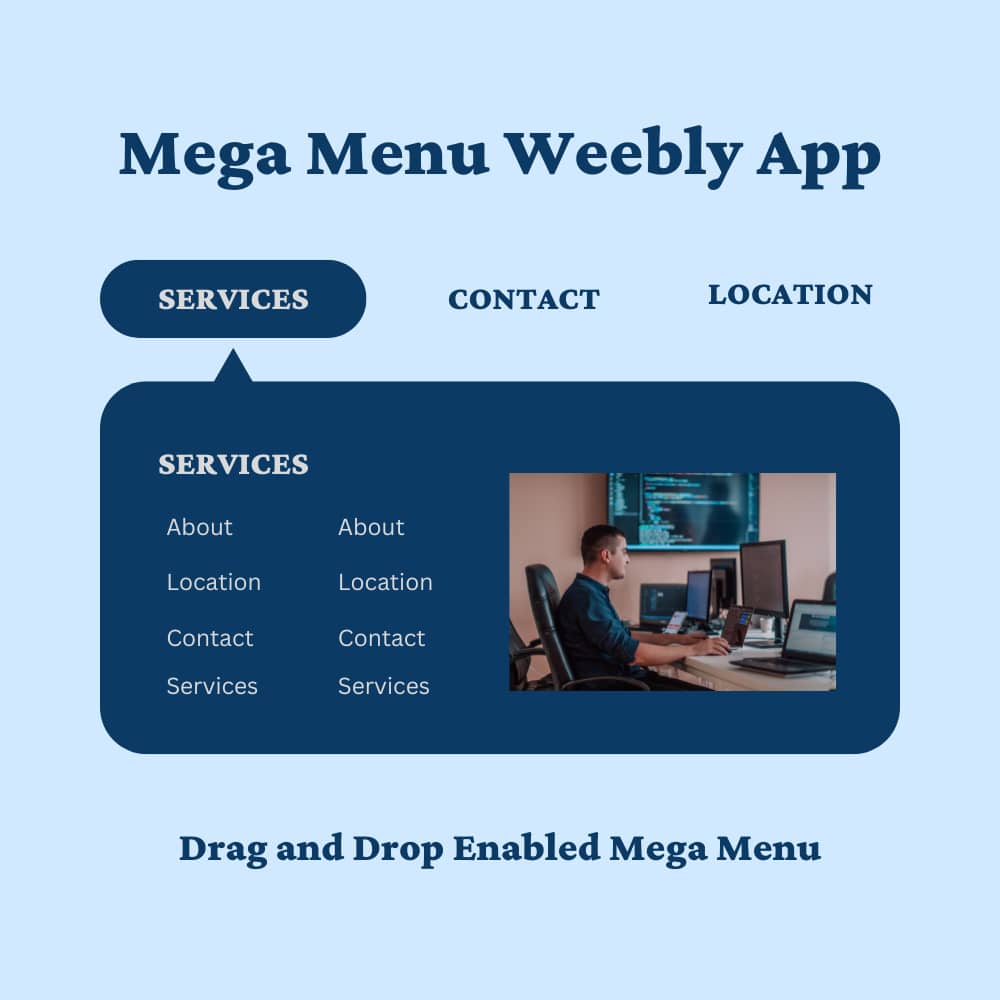
The Weebly Mega Menu app lets you replace your standard Weebly navigation with a rich, drag-and-drop enabled mega menu — giving you a far larger canvas to showcase links, images, products, and other content directly in your site’s navigation.
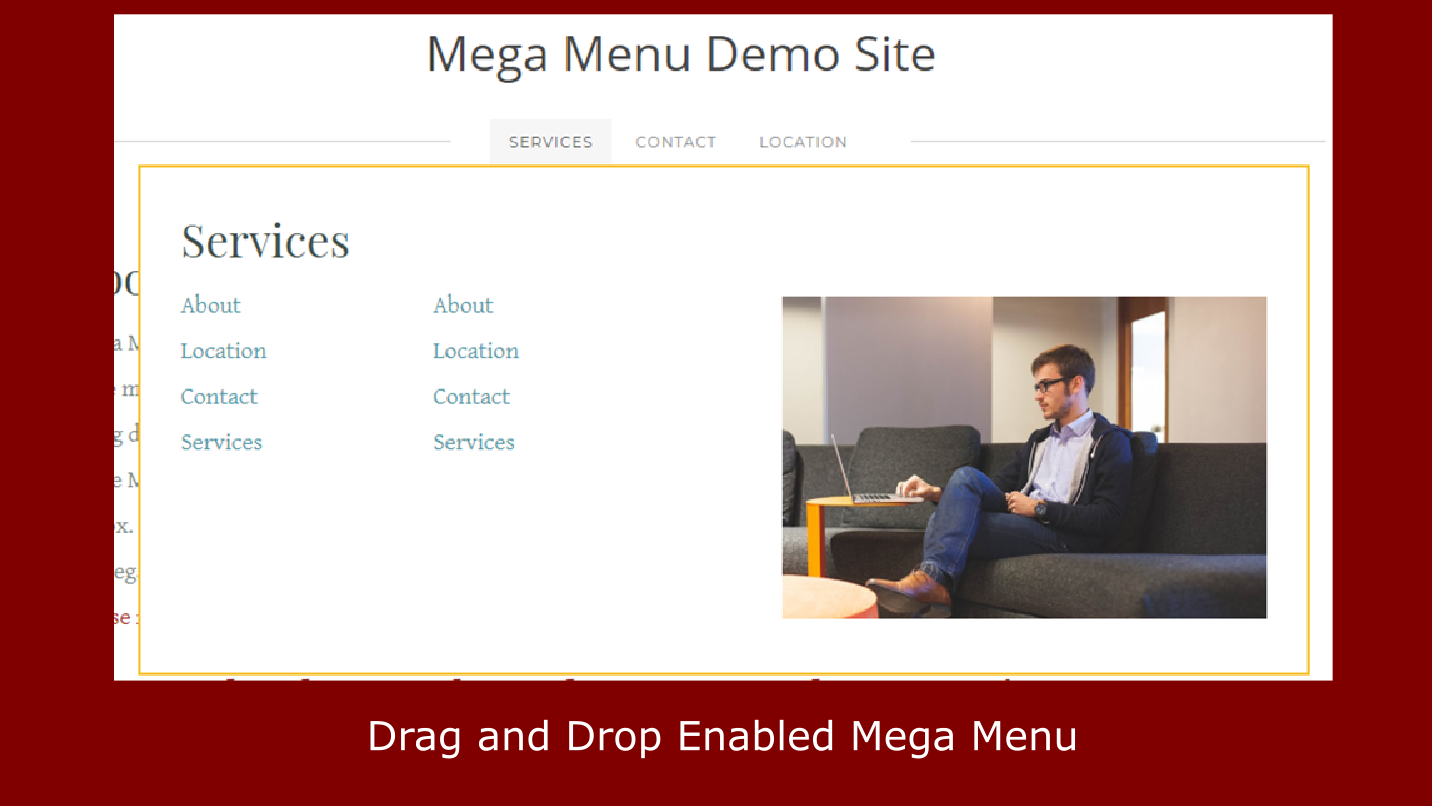
Unlike a standard dropdown, a mega menu opens a full-width panel below your navigation bar. You define how many menu items trigger mega menus, then drag any native Weebly element — text, images, buttons, forms, galleries — directly into each content area.
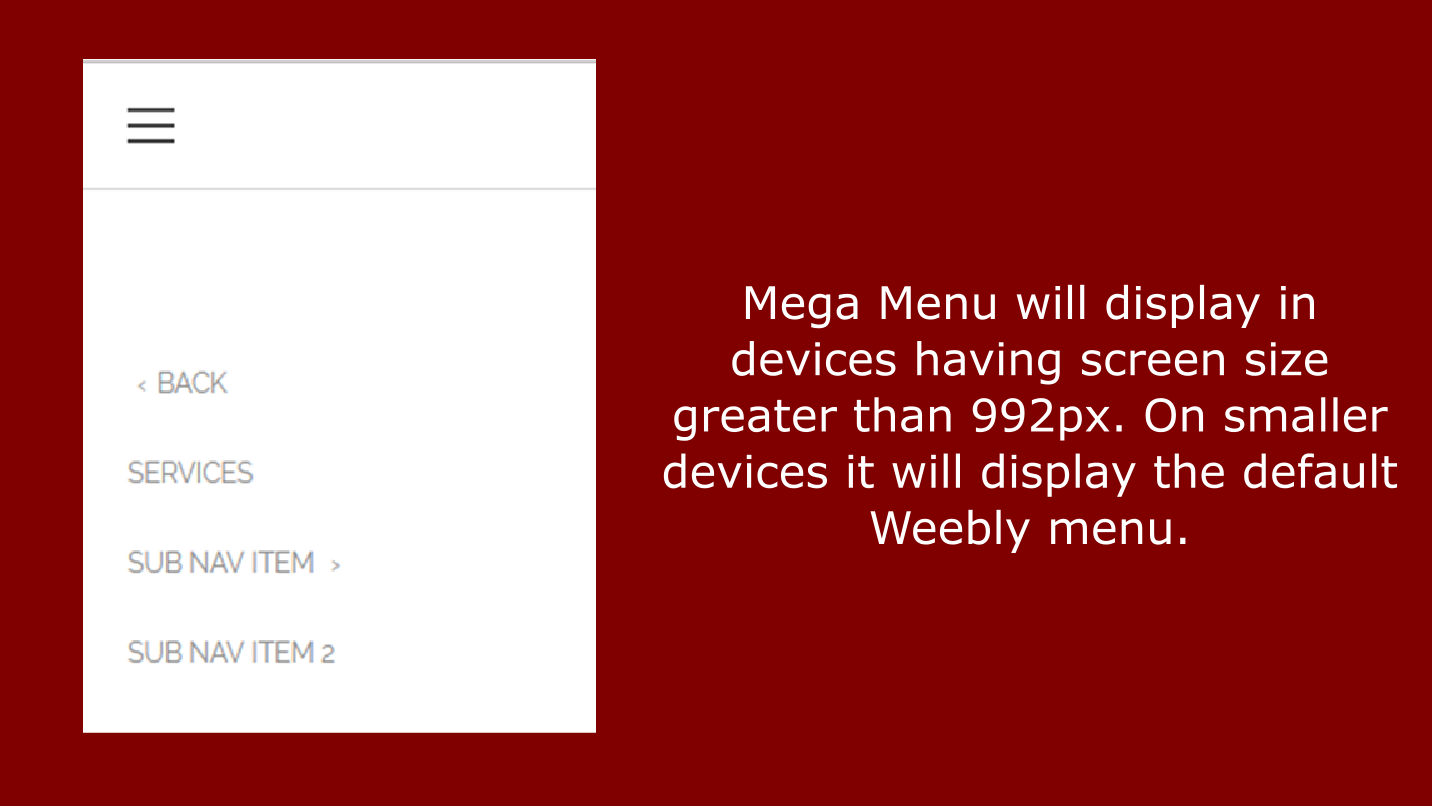
Adjust the top margin, left margin, width, border color, and background color of each mega menu panel from the settings panel to match your site’s design perfectly. On mobile (under 992px), your site automatically falls back to the default Weebly menu.
See the Weebly Mega Menu in Action
Watch the full video walkthrough, then explore the app screenshots below.
What Can You Put Inside a Weebly Mega Menu?
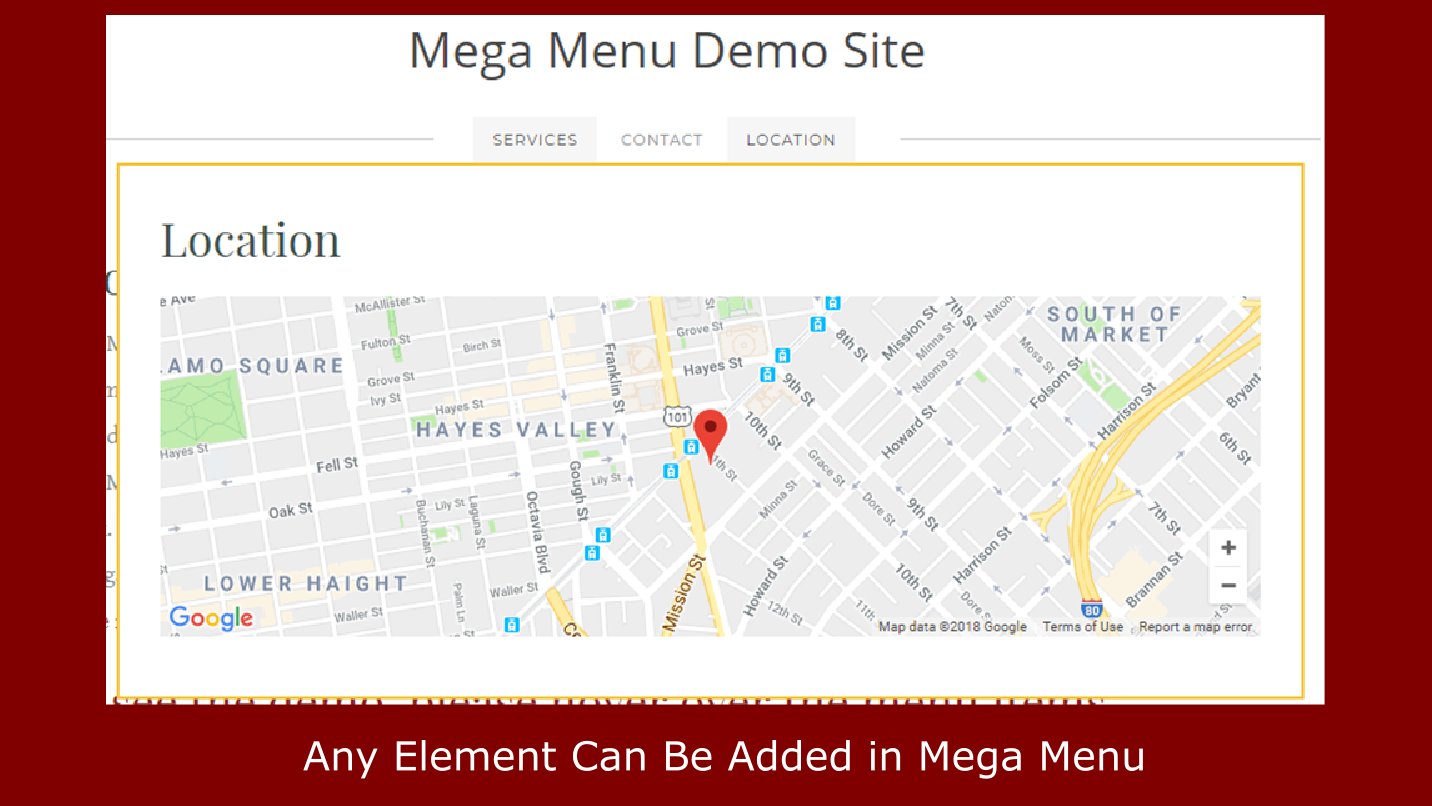
Because the Mega Menu content area is fully drag-and-drop enabled, any native Weebly element works — opening up powerful navigation possibilities.
🗂️
Organize Large Navigations
Group dozens of links, subcategories, and sections into a single clean mega menu panel without cluttering your navigation bar.
📸
Showcase Images in Navigation
Drop product photos, category banners, or featured images into your mega menu panels for a visually rich navigation experience.
🛍️
Feature Products in the Nav
Display featured products, promotions, or bestsellers directly inside your navigation so visitors see your best offerings the moment they hover.
📄
Display Rich Content
Add descriptions, calls to action, buttons, or any other Weebly content element into your navigation panels — far beyond what a standard dropdown supports.
🔗
Link-Heavy Site Sections
Sites with large catalogs, portfolio sections, or multi-department content benefit enormously from having all key links visible at once in a structured panel.
🎯
Multi-Category Navigation
Assign a separate mega menu panel to each navigation item — each with its own unique content, layout, and design. Every menu item gets its own dedicated panel.
Full Control Over Position & Design
Every aspect of your Weebly Mega Menu is configurable from the settings panel — so the menu sits exactly where it should and looks exactly how you want:
- Number of Menu Items — define exactly how many navigation items get dedicated mega menu panels
- Top Margin — control the vertical distance between the nav bar and the mega menu panel
- Left Margin — align the mega menu panel to any horizontal position on the page
- Width — set how wide the mega menu panel opens
- Border Color — match your site’s color scheme with a custom border
- Background Color — set a custom background for the mega menu panel
⚙️ Settings Panel
- 🔢 Number of Menu Items
- ↕️ Top Margin (px)
- ↔️ Left Margin (px)
- 📐 Width (px)
- 🎨 Border Color
- 🖌️ Background Color
How to Add a Mega Menu to Your Weebly Website
Get your Weebly Mega Menu live in four straightforward steps — no developer needed.
01
Install & Place on a Page
Visit the Weebly App Center page and click Add App. Then drag the Mega Menu widget onto any Weebly page where you want it to appear. To show it on every page, place it in the footer.
02
Define Menu Items & Add Content
In the settings panel, enter the number of menu items you want. This creates a separate drag-and-drop area for each. Drop any Weebly elements — text, images, buttons, galleries — into each panel area.
03
Adjust Position, Design & Publish
Set the top margin, left margin, and width so the mega menu sits right below your navigation items. Adjust border and background color, then hit Publish — your mega menu is live on all desktop browsers.
What Weebly Users Say About Mega Menu
9 verified reviews on the Weebly App Center
⭐⭐⭐⭐⭐
“I am extremely happy with this App. I have a huge amount of content to organise and it has been an absolute godsend. An elegant solution to a big problem. Junaid was also extremely quick in replying to a query I had and he resolved it immediately. Can’t recommend this highly enough.”
Rachel Oliver · April 2021
⭐⭐⭐⭐⭐
“Great APP with OUTSTANDING CUSTOMER SERVICE. The menu was having trouble with spacing and he connected to our computer and helped fix everything within 24 hours. HIGHLY recommend. The best money spent on Weebly.”
Brian Berger · November 2022
⭐⭐⭐⭐⭐
“It took some tooling around to get it to work on my website, but once it worked, it looked great and adds a ton of value. One tip — if you want it displayed on every page, post the app in the footer.”
Tres Adames · April 2023
⭐⭐⭐⭐⭐
“Mega Menu works very well on my site and adds a lot to the site’s functionality. This is something I had long given up on as someone not skilled at writing code. I am very pleased with how it works!”
Mischa Tranquilli · November 2018
Frequently Asked Questions
What does the Weebly Mega Menu app do?
The Weebly Mega Menu app replaces your standard Weebly navigation with a drag-and-drop enabled mega menu. Each navigation item can have its own dedicated mega menu panel where you can place any native Weebly element — text, images, buttons, galleries, and more — giving your visitors a much richer navigation experience than a standard dropdown.
Does Mega Menu work with sticky or fixed navigation bars?
No — this is an important limitation to be aware of before purchasing. The Mega Menu app does not work with Weebly themes that use a fixed or sticky navigation bar (a nav that stays pinned to the top of the screen as you scroll). Most standard scroll-based themes are fully compatible. If you are unsure whether your theme uses a sticky nav, check the app’s live demo or contact developer support before purchasing.
Does the Mega Menu display on mobile devices?
The mega menu panel displays on devices with a screen width greater than 992px (desktops and most laptops). On smaller devices — tablets in portrait mode and smartphones — your site automatically falls back to the standard Weebly navigation menu, so mobile visitors always have a working navigation experience.
How do I position the Mega Menu so it appears correctly?
Use the Top Margin, Left Margin, and Width settings in the app’s settings panel to position the mega menu panel precisely. Top Margin controls how far below the navigation bar the panel appears; Left Margin controls horizontal positioning; and Width controls how wide the panel opens. Adjust and republish until the alignment is right for your theme’s navigation height and layout.
Can I add any Weebly element to the Mega Menu content area?
Yes. Each mega menu panel area is fully drag-and-drop enabled using Weebly’s native editor. You can add text blocks, images, image galleries, buttons, dividers, maps, forms, and any other standard Weebly element directly into the panel. This gives you complete design freedom over what your visitors see when they hover over each navigation item.
Explore Our Other Weebly Apps
Ready to Upgrade Your Weebly Navigation?
Give your visitors the navigation experience they deserve — rich, organized, and content-packed. Everything included, unlimited use on one Weebly website.